 Modern Angular Architecture
Enterprise Angular Feature Architecture: Scalable Boundaries
Design enterprise Angular apps with feature-first boundaries, route ownership, dependency rules, and scalable team workflows using standalone APIs.
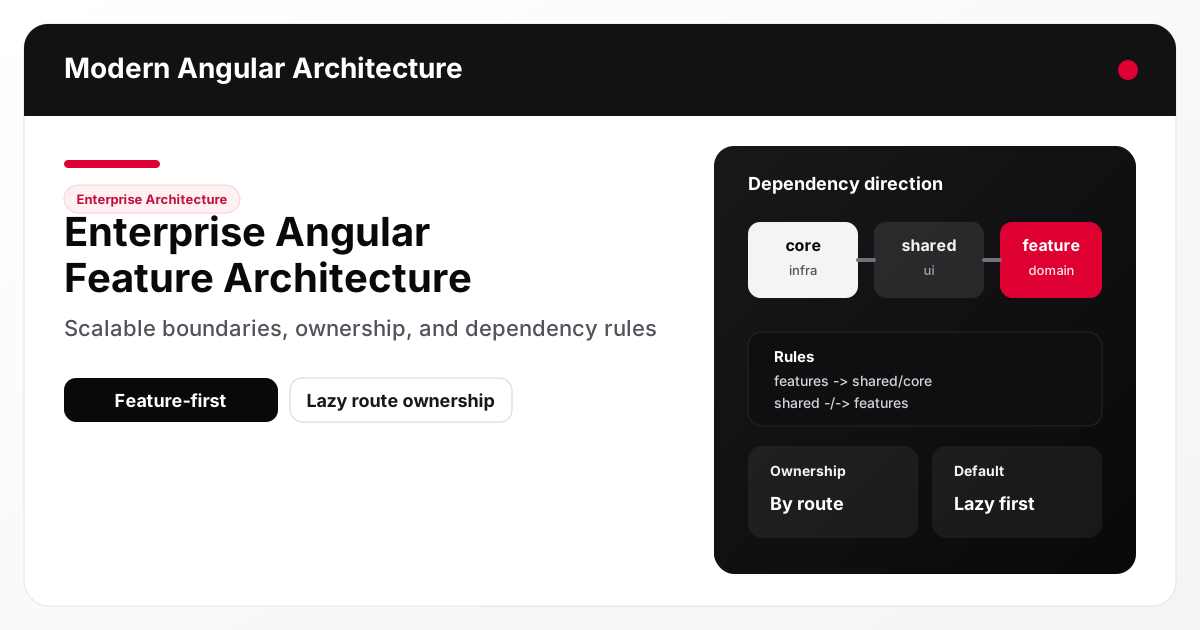
Enterprise Angular architecture scales when you design around feature boundaries and dependency direction, not just folders by technical type. A practical structure uses core for infrastructure, shared for reusable UI primitives, and features for route-owned domain behavior. Combined with standalone APIs and lazy routes, this creates clearer ownership, better performance, and fewer cross-team regressions.
Why layer-only folders fail as teams grow
The classic structure (components/, services/, models/, utils/) looks clean early on, but it degrades under team growth because it hides domain boundaries.
Typical failure modes:
- Multiple teams editing the same shared service folder
- Feature logic spread across many top-level directories
- Accidental imports between unrelated domains
- Refactors that break routes because dependencies are implicit
The issue is not that components/services/models are bad concepts. The issue is using them as the primary organizational axis instead of the domain.
What “feature-first” means in a real Angular app
Feature-first does not mean duplicating everything inside every feature. It means the main unit of organization is the route/domain capability.
A practical top-level structure:
core/for app-wide infrastructure (auth shell, app config, SEO, logging)shared/for reusable UI primitives and generic helpersfeatures/for domain routes, state, and use-case logiccontent/orgenerated/when the site includes static publishing pipelines
For this site, the current structure already aligns with this model and is a good example of architecture matching product intent.
Example 1: Enterprise-friendly Angular structure (standalone + lazy routes)
src/app/
  core/
    layout/
    seo/
    content/
  shared/
    ui/
  features/
    home/
    articles/
      data/
      ui/
    settings/
The critical point is that features/articles owns article use cases, routing behavior, and view state. It should not depend on another feature directly unless that feature exposes a deliberate public API.
Dependency direction rules that prevent architecture drift
You need explicit dependency rules or the codebase will slowly flatten into a shared-utils monolith.
Recommended rules
features/*may import fromshared/*andcore/*features/*should not import directly from other features by defaultshared/*should not depend onfeatures/*core/*should avoid importing from feature code (except composition points, if unavoidable)
These rules are simple enough to teach and enforce in PR review.
Example 2: Lazy route boundaries as ownership boundaries
Lazy routes are not just a performance feature. They define team and deployment boundaries.
import { Routes } from '@angular/router';

export const routes: Routes = [
  {
    path: 'articles',
    loadComponent: () =>
      import('./features/articles/articles-list.page').then((m) => m.ArticlesListPageComponent)
  },
  {
    path: 'articles/:slug',
    loadComponent: () =>
      import('./features/articles/article-detail.page').then((m) => m.ArticleDetailPageComponent)
  },
  {
    path: 'about',
    loadComponent: () => import('./features/static/about.page').then((m) => m.AboutPageComponent)
  }
];
Why this improves enterprise maintainability
- Feature bundles load only when needed
- Ownership is obvious from the route mapping
- Refactoring can stay localized
- Runtime performance and architecture governance reinforce each other
Standalone APIs improve architecture clarity
Standalone Angular APIs reduce module indirection and make feature dependencies more explicit. This helps reviews because you can see what a component imports without tracing multiple NgModules.
Example 3: Standalone feature component with explicit dependencies
import { CommonModule } from '@angular/common';
import { ChangeDetectionStrategy, Component, inject } from '@angular/core';
import { RouterLink } from '@angular/router';

import { ContentService } from '../../core/content/content.service';
import { ArticleCardComponent } from '../../shared/ui/article-card.component';

@Component({
  selector: 'app-articles-list-page',
  standalone: true,
  imports: [CommonModule, RouterLink, ArticleCardComponent],
  template: `...`,
  changeDetection: ChangeDetectionStrategy.OnPush
})
export class ArticlesListPageComponent {
  private readonly content = inject(ContentService);

  readonly articles = this.content.getAll();
}
This is easier to reason about than a large feature module with indirect providers and declarations.
Feature-local state and services: avoid accidental app-wide scope
A common enterprise mistake is registering feature services globally because it is convenient early on.
Prefer:
- route-scoped providers for feature state/facades
- feature-local service files near the route
- app-wide singletons only for true cross-cutting concerns
This aligns well with the Signals + RxJS hybrid approach discussed in Angular Signals in Enterprise Apps.
Example 4: Route-scoped providers for feature ownership
import { Routes } from '@angular/router';

import { ArticlesSearchFacade } from './data/articles-search.facade';
import { ArticlesSearchStore } from './data/articles-search.store';

export const ARTICLES_ROUTES: Routes = [
  {
    path: '',
    providers: [ArticlesSearchStore, ArticlesSearchFacade],
    loadComponent: () => import('./articles-list.page').then((m) => m.ArticlesListPageComponent)
  }
];
This pattern reduces cross-feature leakage and makes cleanup/lifecycle behavior more predictable.
Shared vs core: how to avoid the “dumping ground” problem
shared/ should contain
- UI primitives (
Button,Card,TagPill, etc.) - Generic pipes/directives/components with no domain semantics
- Small utilities that do not encode business rules
core/ should contain
- App shell/layout
- Routing composition
- SEO service, analytics, logging
- Auth/session infrastructure
- Configuration and environment integration
What should not go into either
Domain-specific logic like InvoiceApprovalRulesService or QuizScoringPolicy should live in the owning feature, not shared/.
Architecture governance for multi-team Angular codebases
Documentation alone is not enough. Teams need lightweight governance mechanisms.
Minimum governance stack
- A written dependency rule set (one page is enough)
- PR review checklist focused on boundaries
- Route ownership map (which team owns which features)
- Example implementations for new features
- CI checks for lint/build/smoke validation
This site’s CI workflow (lint, content validation, SSR build, smoke tests) is a good example of architecture governance extending into delivery quality.
Review heuristics that catch regressions early
Use these questions in every architecture-impacting PR:
- Is this dependency crossing a feature boundary unnecessarily?
- Could this logic remain local to the route/feature?
- Does this belong in
shared, or is it domain logic in disguise? - Is this state truly app-wide, or should it be route-scoped?
- Will this import pattern make future extraction harder?
Common anti-patterns in enterprise Angular architecture
1. Shared folder inflation
Everything reusable gets moved into shared, including domain concepts. Over time, shared becomes a second application.
2. Cross-feature imports without a public API
Feature A reaches into Feature B internals “just this once.” This usually scales into brittle coupling.
3. App-wide singleton defaults
Registering every service at root increases hidden coupling, startup cost, and testing complexity.
4. Architecture diagrams that don’t match the code
If route boundaries and provider scopes contradict your documentation, the documentation is not useful.
When to split a feature further
A feature should be split when:
- Multiple teams ship changes independently in the same feature folder
- Route ownership is unclear or contested
- Build/runtime concerns differ significantly within the feature
- Internal APIs start forming naturally (a sign you have sub-domains)
Split by domain capability, not by technical layer.
Implementation checklist for scalable Angular feature architecture
- Organize by feature/domain first, not by technical type
- Keep
corefor infrastructure andsharedfor domain-agnostic primitives - Make lazy routes explicit and treat them as ownership boundaries
- Default to route-scoped providers for feature state/services
- Enforce dependency direction in reviews (and lint tooling later, if needed)
- Document architecture decisions with examples, not just rules
- Keep CI/CD checks aligned with architecture boundaries
Common mistakes
- Moving business rules into
sharedbecause multiple features use them - Creating “utility” services that quietly own domain workflows
- Importing feature internals across routes to save time
- Treating lazy loading as a performance concern only (not an ownership concern)
- Failing to revisit boundaries as teams and product scope change
FAQ
What is the best folder structure for a large Angular application?
There is no universal best structure, but a feature-first structure with clear core, shared, and features responsibilities is a reliable default for larger teams.
Should Angular features import each other directly?
Usually no. Prefer shared abstractions or explicit public APIs to avoid tight coupling and hidden dependencies.
Why are lazy routes important for architecture, not just performance?
They define ownership and lifecycle boundaries. Treating them as architecture primitives improves maintainability and team autonomy.
What belongs in core vs shared in Angular?
core is app infrastructure (shell, routing, SEO, auth, logging). shared is reusable domain-agnostic UI and utilities. Domain logic belongs in features.
How do standalone APIs help enterprise Angular architecture?
They make dependencies and composition more explicit, reduce module indirection, and make feature boundaries easier to review and maintain.
Conclusion and next steps
Enterprise Angular architecture scales when the codebase mirrors the business domain and team ownership model. Feature-first organization, strict dependency direction, and route-scoped composition reduce coupling while improving performance and maintainability.
Next, audit one active feature in your application and classify each file as feature, shared, or core. If you discover feature state registered globally, use the patterns from Angular Signals in Enterprise Apps to move that state closer to route boundaries. For teams considering independent deployment of feature areas, see Angular Micro Frontends: Native Federation vs Iframes.