 Modern Angular Architecture
Angular Micro Frontends 2026: Native Federation vs Iframes
Native Federation handles shared deps and routing cleanly; iframes give bulletproof isolation but break SEO. A practical 2026 comparison for Angular teams.
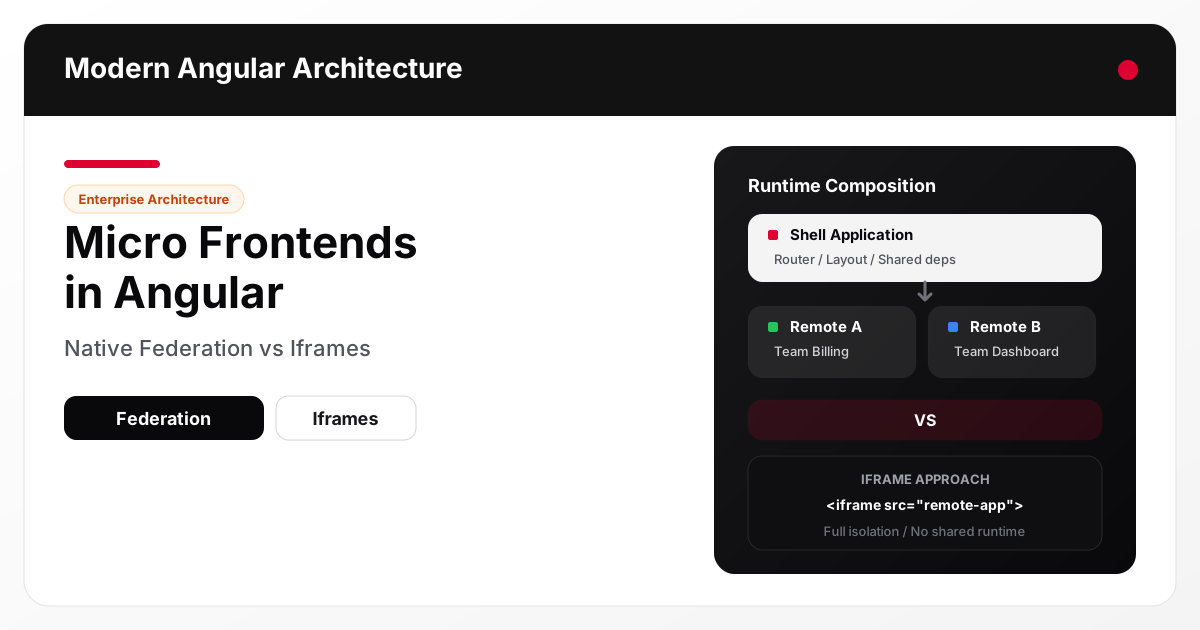
Micro frontends allow multiple teams to own, deploy, and evolve parts of a web application independently. In the Angular ecosystem, two dominant approaches have emerged: Native Federation (the evolution of Module Federation for Angular) and iframes . Both solve the same core problem — runtime composition of independent frontend applications — but with radically different trade-offs in integration depth, performance, and isolation.
📘 Go deeper: the architecture trade-offs in this article are covered in depth in Modern Angular: Architecture, Signals, Production Patterns — the book by the author of this site, on Amazon as Kindle and paperback.
What micro frontends solve
Large frontend monoliths create bottlenecks. A single Angular application owned by five teams means coordinated releases, shared node_modules, conflicting merge schedules, and slow CI pipelines. Micro frontends break this coupling by letting each team build, test, and deploy their feature area independently.
The key requirements for any micro frontend approach are:
- Independent deployment — ship features without redeploying the entire application
- Technology flexibility — teams can upgrade Angular versions or even use different frameworks
- Isolation — a bug in one micro frontend should not crash the whole page
- Shared experience — the user sees a single coherent application, not stitched-together parts
No approach satisfies all four equally. The choice between Native Federation and iframes depends on which requirements matter most to your teams.
The iframe approach
Iframes are the oldest micro frontend technique. Each micro frontend runs inside an <iframe> element, loaded from its own origin or path.
<iframe src="https://team-billing.example.com/invoices" title="Billing"></iframe>
How it works
The shell application renders iframe elements pointing at each remote application. Each iframe loads its own HTML document, scripts, and styles in a fully isolated browsing context. Communication between shell and iframe happens through postMessage.
Strengths
- Complete isolation — CSS, JavaScript, and DOM are fully sandboxed. A crash or memory leak in one iframe cannot affect the shell or other microfrontends.
- Technology independence — each iframe can run any framework or Angular version. There is no shared runtime requirement.
- Simple deployment — each team deploys to their own URL. The shell only needs to know the iframe src.
- Security boundaries — iframes respect same-origin policy and can use the
sandboxattribute for additional restrictions.
Weaknesses
- No shared dependencies — each iframe loads its own copy of Angular, zone.js, polyfills, and vendor libraries. For three Angular micro frontends, the user downloads Angular three times.
- Routing is disconnected — the browser URL does not reflect iframe navigation. Back/forward buttons do not work across iframe boundaries without custom
postMessagesynchronization. - UX friction — iframes have independent scroll contexts, cannot share modals or overlays naturally, and require manual resize logic to avoid double scrollbars.
- Communication overhead — every interaction between shell and micro frontend requires serialized
postMessagecalls. Shared state is manual and brittle.
Module Federation and its evolution
Webpack Module Federation, introduced in Webpack 5, allowed JavaScript applications to load remote modules at runtime — sharing dependencies like Angular core across independently deployed bundles. This enabled micro frontends that felt like a single application while being deployed separately.
However, Module Federation was tightly coupled to Webpack. As Angular moved to esbuild for builds (starting with Angular 17+), Module Federation could not follow directly. This led to Native Federation: a build-tool-agnostic reimplementation of the same concepts, designed to work with Angular’s modern esbuild-based toolchain.
Native Federation is maintained by Manfred Steyer and the @angular-architects team. It provides the same shell/remote architecture without depending on Webpack internals.
Native Federation in Angular
Native Federation lets you compose Angular applications at runtime by loading remote entry points that expose Angular components, routes, or entire feature modules.
Shell and remote architecture
The shell is the host application. It defines the layout, top-level routing, and loads remotes dynamically:
// Shell route configuration
export const routes: Routes = [
  {
    path: 'billing',
    loadComponent: loadRemoteModule({
      remoteEntry: 'https://team-billing.example.com/remoteEntry.json',
      exposedModule: './InvoiceList'
    }).then(m => m.InvoiceListComponent)
  }
];
Each remote is an independently built and deployed Angular application that exposes specific components or routes via a manifest file (remoteEntry.json).
Shared dependencies
Native Federation’s key advantage is dependency sharing. Angular, RxJS, and other common libraries are loaded once by the shell. Remotes declare their required versions, and Native Federation resolves compatible versions at runtime — avoiding duplicate downloads.
{
  "shared": {
    "@angular/core": { "singleton": true, "requiredVersion": "^19.0.0" },
    "@angular/router": { "singleton": true, "requiredVersion": "^19.0.0" }
  }
}
Routing integration
Remotes participate in Angular’s router. Deep links work naturally, the browser URL reflects the current state, and back/forward navigation works as expected. The user sees one application.
Native Federation vs iframes — comparison
| Dimension | Native Federation | Iframes |
|---|---|---|
| Shared dependencies | Yes — Angular loaded once | No — each iframe loads its own |
| Bundle size | Efficient — shared vendor code | Heavy — duplicated per iframe |
| Routing integration | Native Angular router | Disconnected — needs postMessage sync |
| Browser URL reflects state | Yes | No (without custom workaround) |
| CSS isolation | Partial — requires conventions or Shadow DOM | Complete — fully sandboxed |
| JS isolation | Shared global scope | Complete — separate browsing context |
| Cross-MF communication | Shared services, signals, DI | postMessage only |
| Modal / overlay support | Natural — shared DOM | Difficult — iframe cannot overlay shell |
| Performance (initial load) | Better — shared runtime | Worse — duplicated frameworks |
| Failure isolation | Partial — crash can affect shell | Complete — iframe crash is contained |
| Framework flexibility | Angular only (or compatible versions) | Any framework per iframe |
| Deployment independence | High — remote deploys independently | High — iframe URL deploys independently |
| Setup complexity | Medium — federation config required | Low — just an iframe src |
When to use each approach
Choose Native Federation when
- All micro frontends are Angular (or compatible versions)
- Performance matters — you cannot afford to load Angular multiple times
- You need seamless routing, shared navigation, and coherent UX
- Teams share design systems and need consistent styling
- Cross-feature communication is frequent (shared state, DI services)
Choose iframes when
- Micro frontends use different frameworks (Angular + React + legacy jQuery)
- Hard security isolation is required (untrusted third-party content)
- Teams cannot coordinate Angular version upgrades
- You are embedding external vendor applications you do not control
- Simplicity is the priority and the UX trade-offs are acceptable
Consider a hybrid
Some organizations use Native Federation for Angular-to-Angular composition within their platform and iframes for embedding third-party or legacy applications that cannot share a runtime. This gives you the best UX for owned features and hard isolation for external content.
FAQ
Is Native Federation production-ready?
Yes. Native Federation is used in production by enterprise Angular teams. It is actively maintained by the @angular-architects team and supports Angular 17+ with esbuild. It is the recommended path for micro frontends in modern Angular.
Can I migrate from Webpack Module Federation to Native Federation?
Yes. The concepts (shell, remote, shared dependencies, exposed modules) are the same. The main change is configuration format and build tooling. The @angular-architects/native-federation package provides migration guides and schematics.
Do iframes hurt SEO?
Content inside iframes is not indexed as part of the parent page by most search engines. If SEO matters for micro frontend content, Native Federation (which renders content in the main document) is the better choice.
Can Native Federation share state between micro frontends?
Yes. Since remotes share the same Angular runtime, they can use shared injectable services, signals or RxJS
, or any state management approach — see Angular Signals state management for enterprise teams
for how to scope that state cleanly. This is not possible with iframes, where state must be serialized through postMessage.
Conclusion and next steps
Native Federation and iframes represent opposite ends of the micro frontend spectrum. Native Federation optimizes for integration: shared dependencies, unified routing, and seamless UX. Iframes optimize for isolation: complete sandboxing, framework independence, and simplicity. Most Angular teams building micro frontends within their own platform should start with Native Federation. Reserve iframes for embedding content you do not control or cannot upgrade.
Evaluate your current application: identify the feature boundaries that would benefit from independent deployment, assess whether your teams can coordinate Angular versions, and choose the approach that matches your constraints. For a deeper look at structuring Angular features for team ownership, read Enterprise Angular Feature Architecture: Scalable Boundaries .