 Modern Angular Architecture
Angular Prerendering vs SSR: Dynamic Rendering at Scale (2026)
Angular prerendering vs SSR in 2026: build-time prerendering, runtime SSR, or a hybrid — plus prerendering at scale for e-commerce and why dynamic rendering is obsolete.
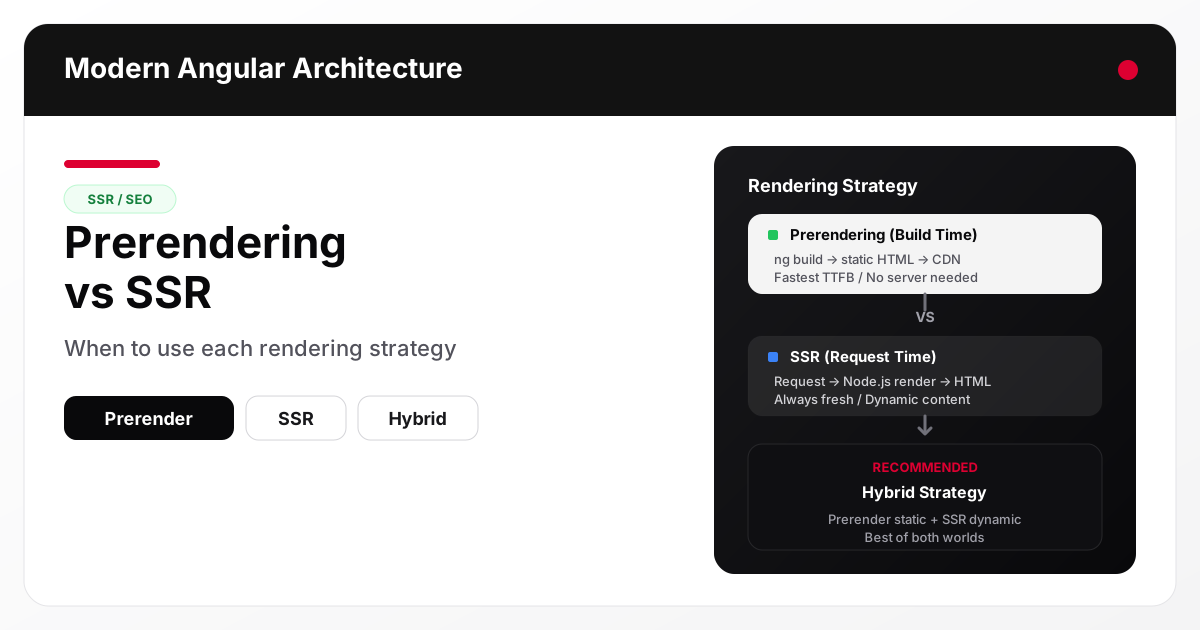
Angular supports both prerendering (build-time HTML generation) and server-side rendering (request-time HTML generation). They solve the same problem — delivering fully rendered HTML to crawlers and users — but with different trade-offs in build time, scalability, content freshness, and infrastructure complexity. See Google Search Central’s JavaScript SEO guide for how modern crawlers handle each strategy. Most production Angular applications benefit from using both strategically.
What prerendering does
Prerendering generates static HTML files at build time. When you run ng build with prerendering enabled, Angular renders each configured route and saves the resulting HTML as a file. At request time, the server delivers this pre-built HTML directly — no Node.js runtime, no rendering on the fly.
// angular.json (simplified)
{
  "architect": {
    "build": {
      "options": {
        "prerender": {
          "routesFile": "routes.txt"
        }
      }
    }
  }
}
The routes.txt file lists every route that should be prerendered:
/
/articles/angular-signals-guide
/articles/angular-ssr-seo-playbook
/about
Prerendering strengths
- Fastest possible TTFB — HTML is served from disk or CDN without server computation
- No runtime server required — deploy to Cloudflare Pages, Netlify, Vercel, or any static hosting
- Predictable output — the same build produces the same HTML every time
- CDN-friendly — static files cache perfectly at the edge
- Lower infrastructure cost — no Node.js servers to manage or scale
Prerendering limitations
- Build time scales with route count — 1,000 routes means 1,000 renders at build time
- Content staleness — changes require a new build and deploy cycle
- No dynamic per-request content — user-specific or real-time data cannot be prerendered
- Route list maintenance — you must know all routes at build time
What SSR does
Server-side rendering generates HTML on each request. When a user or crawler hits a route, an Angular server application renders the page in Node.js and returns the HTML response. The client then hydrates the server-rendered markup to add interactivity.
// server.ts (Angular SSR entry point)
import { CommonEngine } from '@angular/ssr/node';
import express from 'express';

const app = express();
const engine = new CommonEngine();

app.get('*', async (req, res) => {
  const html = await engine.render({
    bootstrap,
    documentFilePath: indexHtml,
    url: req.url
  });
  res.send(html);
});
SSR strengths
- Always fresh content — each request renders the current state
- Handles dynamic routes — user profiles, search results, and paginated lists work naturally
- No route list needed — any route the Angular router handles can be server-rendered
- Per-request personalization — headers, cookies, and query parameters can influence the response
SSR limitations
- Requires a Node.js server — you need infrastructure that runs server-side JavaScript
- Higher TTFB — rendering takes time per request (typically 50–200ms for Angular)
- Server costs scale with traffic — more requests means more compute
- Cold start risk — serverless SSR deployments may have latency spikes
- Caching complexity — you need cache strategies (CDN, reverse proxy) to avoid rendering the same page repeatedly
How Angular handles both
Since Angular 17+, the Angular CLI supports both prerendering and SSR in the same build. The angular.json configuration lets you specify which routes to prerender while the SSR server handles everything else as a fallback.
{
  "architect": {
    "build": {
      "options": {
        "prerender": {
          "routesFile": "routes.txt"
        },
        "server": "src/main.server.ts",
        "ssr": {
          "entry": "server.ts"
        }
      }
    }
  }
}
With this setup:
- Routes listed in
routes.txtare prerendered at build time as static HTML - All other routes fall through to the SSR server for runtime rendering
- Hydration activates on the client for both prerendered and SSR pages
Prerendering vs SSR — comparison
| Dimension | Prerendering | SSR |
|---|---|---|
| When HTML is generated | Build time | Request time |
| TTFB | Fastest (static file) | Slower (server render) |
| Content freshness | Stale until rebuild | Always current |
| Infrastructure | Static hosting (Cloudflare Pages, Netlify, any CDN) | Node.js server required |
| Build time | Scales with route count | Constant |
| Dynamic content | Not supported | Fully supported |
| Per-request data | Not possible | Headers, cookies, query params |
| Caching | Trivial (immutable files) | Requires CDN/proxy strategy |
| Cost at scale | Low (CDN bandwidth only) | Higher (compute per request) |
| SEO reliability | Excellent (predictable HTML) | Excellent (when cached) |
| Route maintenance | Must list routes explicitly | Automatic from router |
| Deployment complexity | Low | Medium |
The hybrid strategy: prerender what you can, SSR the rest
The best Angular production setups combine both approaches:
Prerender
- Home page and main landing pages
- Article detail routes (known at build time from CMS or content files)
- Category and tag listing pages
- Static pages (about, privacy, terms)
SSR
- Search results and filtered views
- User-specific pages (dashboards, profiles)
- Paginated routes beyond what is practical to prerender
- Fallback for any route not in the prerender list
Automate the route list
Generate the prerender route list from your content source to prevent drift:
import { writeFileSync } from 'fs';
import articles from './content/manifest.json';

const routes = ['/', '/about', '/articles'];

for (const article of articles.filter(a => !a.draft)) {
  routes.push(`/articles/${article.slug}`);
}

writeFileSync('routes.txt', routes.join('\n'));
This script runs before ng build, ensuring every published article is prerendered without manual maintenance.
Prerendering at scale: e-commerce and large route sets
Prerendering a handful of marketing pages is trivial. The hard case is an e-commerce catalog or large content site with thousands of parameterized routes like /products/:id. Angular’s server routing API
(Angular 19+) lets you enumerate those routes at build time and pick a render mode per route pattern:
// app.routes.server.ts
import { RenderMode, ServerRoute } from '@angular/ssr';

export const serverRoutes: ServerRoute[] = [
  { path: '', renderMode: RenderMode.Prerender },

  // Prerender every product page from your catalog data
  {
    path: 'products/:id',
    renderMode: RenderMode.Prerender,
    async getPrerenderParams() {
      const products = await fetch('https://api.example.com/products')
        .then((r) => r.json());
      return products.map((p: { id: string }) => ({ id: p.id }));
    },
  },

  // Runtime SSR for anything that can't be enumerated ahead of time
  { path: 'search', renderMode: RenderMode.Server },
  { path: '**', renderMode: RenderMode.Server },
];
getPrerenderParams pulls the parameter values (product IDs, slugs) from your data source during ng build, so the prerendered route list never drifts from the catalog.
The build-time cost is linear. Every prerendered route is a full render cycle. A few thousand routes are fine; tens of thousands push build times and artifact size to the point where a full prerender stops being practical. For large-scale apps, prerender the subset that actually earns traffic — top categories, best-sellers, evergreen landing pages — and fall back to RenderMode.Server (runtime SSR, cached at the CDN) for the long tail. This selective split is the sweet spot for large Angular e-commerce sites: static-fast pages where they matter for conversion and Core Web Vitals, on-demand rendering everywhere else.
Why prerendering wins on performance at scale: prerendered pages ship as plain HTML with no per-request work, so they get the lowest TTFB, cache globally on a CDN, and avoid server cold starts entirely — the exact profile that keeps LCP low across a large catalog.
When to use each approach
Choose prerendering only when
- Your site is entirely static content (blog, docs, marketing pages)
- You want zero server infrastructure
- Build times are acceptable for your route count
- Content changes are infrequent (daily or less)
Choose SSR only when
- Most content is dynamic or personalized
- Routes cannot be known at build time
- You already have Node.js server infrastructure
- Content changes in real time and must reflect immediately
Choose hybrid (recommended for most Angular apps) when
- You have a mix of static content and dynamic features
- You want fast TTFB for core content pages with SSR as fallback
- Your team can manage both static hosting and a Node.js server
- SEO is important for content pages but some routes are user-specific
What about dynamic rendering?
Dynamic rendering is a separate technique that’s easy to confuse with prerendering: you detect the request’s user agent and serve a client-rendered app to real browsers while routing crawlers to a separately generated HTML snapshot (via Rendertron, Puppeteer, or a service like prerender.io).
Google introduced it as a stopgap and now describes it as a workaround rather than a recommended long-term solution — it adds a parallel rendering pipeline, risks serving crawlers different content than users (a cloaking gray area), and does nothing for real-user performance.
For Angular in 2026 you don’t need dynamic rendering at all. Built-in prerendering and SSR deliver the same fully rendered HTML to crawlers and users from one pipeline — no user-agent sniffing, no second infrastructure to maintain, no cloaking risk. If you’re weighing dynamic rendering to retrofit SEO onto an existing Angular SPA, the modern path is to prerender the routes you can enumerate and SSR the rest, exactly as shown above.
FAQ
Does prerendering produce better SEO than SSR?
Both deliver fully rendered HTML to crawlers, so SEO outcomes are equivalent when implemented correctly. Prerendering has a slight edge in TTFB, which can improve Core Web Vitals scores, but the difference is small for well-cached SSR pages.
Can I prerender thousands of routes in Angular?
Yes, but build times will increase. For sites with thousands of routes, consider prerendering only high-traffic pages and using SSR for the long tail. Angular’s build system parallelizes prerendering, but each route still requires a render cycle.
Do I need hydration for prerendered pages?
Yes. Prerendered pages are static HTML. Hydration attaches Angular’s event listeners and reactive bindings so the page becomes interactive. Without hydration, buttons, forms, and navigation will not work after the initial render.
Should I prerender routes with query parameters?
Generally no. Query parameter variations (filters, pagination, search) create a combinatorial explosion of routes. Use SSR for routes that depend on query parameters and prerender only the base route.
How do I invalidate prerendered pages when content changes?
Rebuild and redeploy. For sites with frequent content changes, automate this with a CI/CD pipeline triggered by content updates. If rebuilding the entire site is too slow, consider incremental static regeneration patterns or switching high-churn pages to SSR.
Does Angular support dynamic rendering?
Angular does not ship a dynamic-rendering mode, and you don’t need one. Prerendering (RenderMode.Prerender) and SSR (RenderMode.Server) already deliver crawlable HTML to every client from a single pipeline, which is the approach Google now recommends over dynamic rendering.
How do I prerender a large Angular e-commerce site?
Use RenderMode.Prerender with getPrerenderParams to generate your highest-value product and category routes from catalog data at build time, and RenderMode.Server for the long tail and any query-parameter routes. Full prerendering of tens of thousands of SKUs is rarely worth the build time — prerender what earns traffic, and SSR the rest.
Conclusion and next steps
Prerendering and SSR are complementary tools, not competing choices. Prerender your stable, high-value content pages for maximum performance and minimal infrastructure. Use SSR for dynamic routes, personalized content, and fallback coverage. The hybrid approach gives you the best of both worlds without over-engineering either side.
Start by auditing your routes: identify which ones are static and predictable (prerender candidates) and which depend on request-time data (SSR candidates). For a complete production setup including metadata, structured data, and sitemap generation, read the companion article Angular SSR SEO Playbook . For sitemap generation that stays in sync with your prerendered routes, see Angular SSR Sitemap Generation .