 Modern Angular Architecture
Angular rxResource Guide: Async Data with Signals (2026)
How to use Angular rxResource for reactive async data loading: signal-driven requests, error handling, SSR, and when to use rxResource vs resource.
Angular’s rxResource
is an RxJS
-aware variant of the resource()
primitive for loading async data with signals
. It lets you model remote calls as reactive resources that automatically re-execute when their input signals change, while giving you the full power of RxJS operators for the actual request. If you have been mixing effect(), HttpClient, and manual signal updates to load data, rxResource is designed to replace that pattern with something declarative and SSR-safe.
What rxResource is for
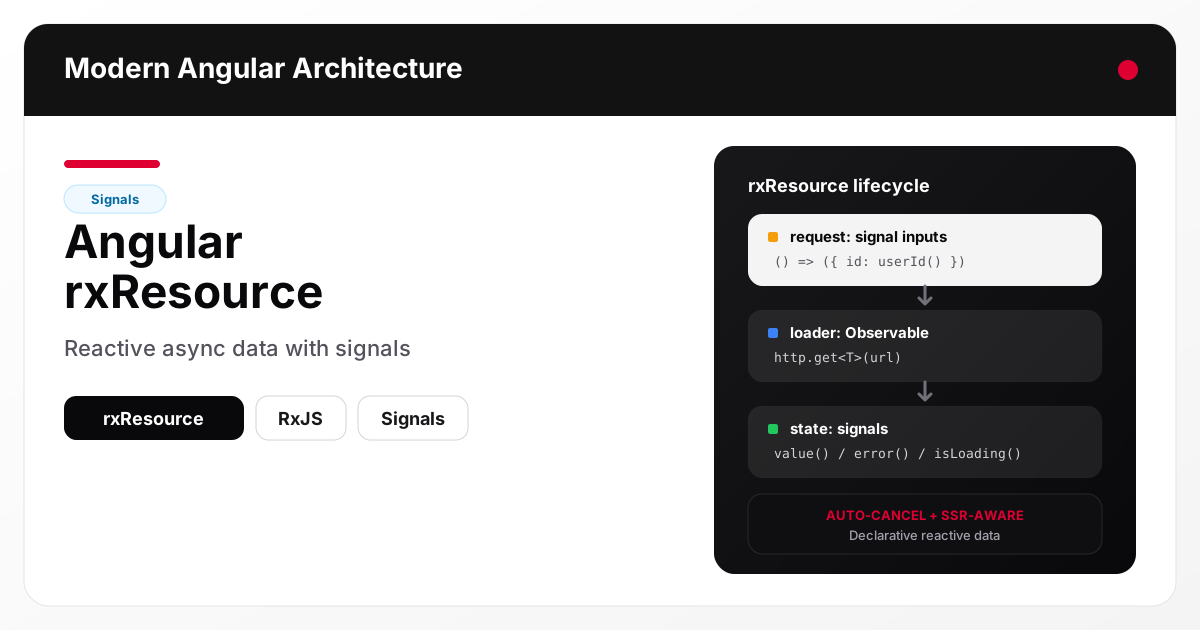
rxResource represents an async data dependency whose request parameters come from signals and whose loader returns an Observable. Angular tracks the input signals, re-runs the loader when they change, and exposes the result as a signal-based resource.
The core value proposition:
- Signal-driven: request inputs come from signals; the resource reacts automatically
- RxJS-native loader: the loader returns an Observable — use any operators you need
- Declarative states:
status,value,error,isLoadingare all signals - Lifecycle aware: cleanup, cancellation, and SSR are handled by the framework
In short, rxResource gives you the ergonomics of signals for the consumer side and the expressive power of RxJS for the producer side.
rxResource vs resource vs HttpClient + effect
Angular offers several ways to load async data today. Choosing between them comes down to whether your loader is Promise-based or Observable-based, and how much RxJS orchestration you need.
| Approach | Loader type | Best for |
|---|---|---|
resource() | Promise / async function | Simple fetch calls, no operators needed |
rxResource() | Observable | HttpClient requests, RxJS operators, cancellation |
HttpClient + effect() | Observable | Fine-grained manual control, legacy patterns |
toSignal(httpClient.get(...)) | Observable | One-shot reads with no request parameters |
Rule of thumb: if your data source depends on one or more signals and you use HttpClient, reach for rxResource first.
Basic usage
A typical rxResource wraps an HTTP call and reacts to a signal-based request parameter.
import { Component, inject, signal } from '@angular/core';
import { rxResource } from '@angular/core/rxjs-interop';
import { HttpClient } from '@angular/common/http';

@Component({
  standalone: true,
  template: `
    @if (user.isLoading()) {
      <p>Loading user…</p>
    } @else if (user.error()) {
      <p>Failed to load user.</p>
    } @else if (user.value(); as u) {
      <h2>{{ u.name }}</h2>
    }
  `
})
export class UserPageComponent {
  private readonly http = inject(HttpClient);
  readonly userId = signal(1);

  readonly user = rxResource({
    request: () => ({ id: this.userId() }),
    loader: ({ request }) =>
      this.http.get<User>(`/api/users/${request.id}`)
  });
}
When userId changes, rxResource cancels the in-flight request, re-invokes the loader with the new input, and updates isLoading, value, and error accordingly.
The resource state model
Every rxResource exposes a predictable set of signal-based readers:
value()— the current resolved value, orundefinederror()— the last error, orundefinedisLoading()—truewhile a loader is in flightstatus()— one of'idle' | 'loading' | 'resolved' | 'error' | 'reloading'hasValue()—truewhenvalue()is set (useful for discriminating between “resolved with undefined” and “never resolved”)
These read like any other signal, so they integrate directly with templates, computed(), and effect().
Reacting to multiple signals
Because the request function reads signals, it composes naturally. The loader re-runs whenever any signal read inside request changes.
readonly searchTerm = signal('');
readonly page = signal(1);

readonly results = rxResource({
  request: () => ({
    q: this.searchTerm(),
    page: this.page()
  }),
  loader: ({ request }) =>
    this.http.get<SearchResults>('/api/search', {
      params: { q: request.q, page: request.page }
    })
});
Add debounceTime or distinctUntilChanged inside the loader pipeline if you need to protect the backend from rapid updates.
Cancellation and switchMap semantics
rxResource cancels the previous Observable when a new request fires. This behaves like switchMap — older in-flight requests are discarded, and only the most recent result reaches the resource. You get cancellation for free, without manually wiring takeUntil or subscriptions.
readonly posts = rxResource({
  request: () => ({ userId: this.userId() }),
  loader: ({ request, abortSignal }) =>
    this.http.get<Post[]>(`/api/posts?user=${request.userId}`, {
      // abortSignal lets the HTTP layer cancel the underlying XHR
      context: withAbortSignal(abortSignal)
    })
});
The abortSignal parameter ties the RxJS subscription lifecycle to the browser AbortController, which means cancelling the Observable also cancels the network request.
Reloading on demand
Call .reload() to force a fresh load without changing input signals. This is useful for pull-to-refresh, retry buttons, or post-mutation refresh.
readonly orders = rxResource({
  request: () => ({ userId: this.userId() }),
  loader: ({ request }) =>
    this.http.get<Order[]>(`/api/users/${request.userId}/orders`)
});

refresh(): void {
  this.orders.reload();
}
During a reload, status() returns 'reloading' and isLoading() stays true, while the previous value() remains available — good for keeping the UI stable.
Error handling patterns
Errors from the Observable propagate to error(). The resource does not re-throw; it captures the error so the template can decide how to render it.
readonly profile = rxResource({
  request: () => ({ id: this.userId() }),
  loader: ({ request }) =>
    this.http.get<Profile>(`/api/profiles/${request.id}`).pipe(
      catchError(err => {
        logger.error('profile load failed', err);
        return throwError(() => err);
      })
    )
});
For graceful degradation, map errors to a fallback value inside the loader and keep error() empty.
Computed values from a resource
Because value() is a signal, you can compose it with computed() for derived state.
readonly user = rxResource({ /* ... */ });

readonly initials = computed(() => {
  const u = this.user.value();
  if (!u) return '';
  return u.name.split(' ').map(p => p[0]).join('').toUpperCase();
});
This is the pattern that replaces the old “fetch in a service, store in BehaviorSubject, map with combineLatest” dance for synchronous derivations.
SSR considerations
rxResource is SSR-aware: during server-side rendering, Angular waits for the resource to resolve before serializing the response. This means article content, profile data, or any server-rendered view can rely on resource values being present in the initial HTML.
Key rules for SSR:
- Prefer
rxResourceover manual HTTP calls insidengOnInitwhen the data needs to be in the server response - Enable client hydration so the resource state transfers without a redundant client fetch
- Avoid long-running loaders on SSR paths — they delay TTFB
For the broader SSR rendering strategy, see Angular SSR SEO Playbook .
Testing rxResource
Resources integrate cleanly with Angular’s testing APIs. The usual approach is to:
- Provide a mock
HttpClientor testing backend - Read the resource’s signal-based state in assertions
- Use
TestBed.tick()orflush()to drain async work
it('loads user when userId changes', async () => {
  const fixture = TestBed.createComponent(UserPageComponent);
  const component = fixture.componentInstance;

  component.userId.set(42);
  await fixture.whenStable();

  expect(component.user.isLoading()).toBe(false);
  expect(component.user.value()?.id).toBe(42);
});
Because resource reads happen through signals, changes to userId automatically trigger re-computation in the test — no manual subscriptions needed.
Common mistakes
- Reading signals outside
request: signals read inside the loader body (not insiderequest) are not tracked. Always put the reactive inputs in therequestfunction. - Forgetting that loaders get cancelled: if you have side effects inside the loader pipeline, they may be cancelled mid-flight. Keep loaders pure.
- Using
rxResourcefor one-off fire-and-forget calls: for mutations (POST/PUT/DELETE), prefer a directHttpClientcall.rxResourceis for read models. - Mixing
rxResourcewithtoSignal: you do not needtoSignal—rxResourcealready exposes signals. - Relying on
value()during initial render withouthasValue(): the first evaluation returnsundefined; use@if (resource.value(); as v)orhasValue()to guard.
rxResource and the evolving Angular reactivity model
rxResource is part of a broader shift in Angular: signals as the default primitive for reactive state, and resource-style APIs for async data. It sits next to linkedSignal, resource, and the ongoing zoneless push. For a full picture of where signals fit in enterprise Angular and where RxJS still earns its place, read Angular Signals vs RxJS: When to Use Each
and Angular Signals State Management: Enterprise Guide
.
FAQ
When did rxResource ship in Angular?
rxResource is part of the @angular/core/rxjs-interop package and matured through the Angular 19/20 cycle alongside the broader resource APIs. It is stable and production-ready in current Angular versions.
Do I still need HttpClient?
Yes. rxResource does not replace HttpClient — it wraps it. You still make HTTP calls with HttpClient; rxResource provides the reactive lifecycle around them.
Can I use rxResource without RxJS?
If your loader is a plain async function or Promise, use resource() instead. rxResource() exists specifically for Observable-returning loaders.
Does rxResource work with interceptors and guards?
Yes. Because the loader uses HttpClient directly, all interceptors, guards, and HTTP infrastructure work as usual.
How does rxResource compare to TanStack Query for Angular?
TanStack Query offers richer features like stale-while-revalidate, multi-level caching, and query invalidation. rxResource is simpler, framework-native, and SSR-integrated. For most Angular apps, start with rxResource and only reach for TanStack Query when you need advanced cache semantics.
Conclusion and next steps
rxResource is the cleanest way to load reactive async data in modern Angular: signal-driven inputs, Observable loader, automatic cancellation, SSR-aware, and testable. It replaces the effect() + HttpClient + manual signal update pattern with a single declarative primitive.
Pick one read model in your app that currently uses BehaviorSubject or manual effect() data loading and port it to rxResource. Measure the code reduction and the UX — you will likely get fewer moving parts and better SSR behavior. For the surrounding architecture, continue with Angular Signals State Management
and NgRx in 2026: Do You Still Need It?
.