 Modern Angular Architecture
Angular SSR SEO Playbook: Hydration & Metadata (2026)
The complete Angular SSR SEO playbook for 2026: hydration, route metadata, canonical URLs, and structured data — production patterns that rank.
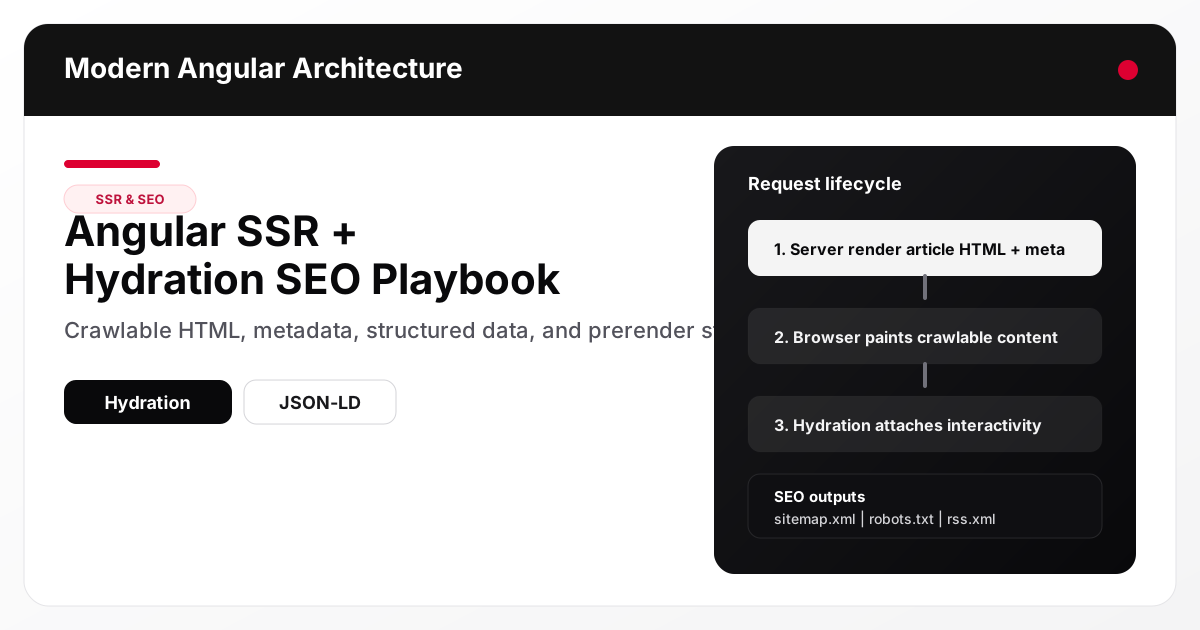
Angular SSR
improves SEO for content sites when it delivers fully rendered article HTML, correct metadata, and stable hydration
behavior on the initial response. The production pattern is not just “turn on SSR”: you need route-level metadata, canonical URLs, structured data
, prerendering for predictable content routes, and build-time generation of sitemap.xml, robots.txt, and rss.xml. Hydration should enhance interactivity without duplicating data fetches or causing Cumulative Layout Shift
.
📘 Go deeper: SSR, hydration and production patterns like these are covered in depth in Modern Angular: Architecture, Signals, Production Patterns — the book by the author of this site, on Amazon as Kindle and paperback.
Why SSR still matters for Angular SEO in 2026
Google can render JavaScript, but rendering is not the same as reliable indexing quality. Content-heavy sites get better results when article content is present in the server response because it improves:
- Crawl efficiency (less render dependency)
- Metadata reliability (title/description/OG available immediately)
- Social previews (OpenGraph/Twitter tags in initial HTML)
- Performance perception (faster first meaningful content)
For Angular niche content sites, SSR plus prerendering gives you predictable indexing and good Core Web Vitals when implemented carefully.
The production SEO stack for an Angular content site
A robust Angular SSR content stack usually includes:
- SSR for dynamic and fallback routes
- Prerender for known article/tag/category routes
- Hydration for interactive enhancement without client re-fetch churn
- Route-level metadata (title, description, canonical, robots)
- Structured data (
WebSite,Organization,BlogPosting,BreadcrumbList) - Build-time SEO artifacts (
sitemap.xml,robots.txt,rss.xml)
This site already follows that architecture, which is exactly the right baseline for a micro-authority SEO project.
Start with crawlable HTML, not client-side rendering
The first technical question is simple: does View Source contain the article body? If not, the crawler is relying on client rendering and your indexing outcomes become less predictable.
What to verify in server-rendered HTML
For every article route, the initial HTML response should include:
- The article headline and main content paragraphs
<title>and<meta name="description">- Canonical
<link rel="canonical"> - OpenGraph/Twitter metadata
- JSON-LD scripts
- Breadcrumb links (or equivalent crawlable hierarchy)
If these appear only after hydration, your setup is incomplete.
Angular SSR + hydration architecture for content pages
Recommended rendering strategy
Use a hybrid of prerender and SSR:
- Prerender for stable article slugs, tags, and categories (great for cacheability)
- SSR runtime for fallback pages, future dynamic routes, and operational flexibility
Hydration goal
Hydration should attach interaction handlers and reactive bindings to server-rendered HTML, not replace already-rendered article content with a blank or loading state.
Example 1: Standalone route metadata + content page structure
This example shows a content route setup using lazy loading and route-level boundaries.
import { Routes } from '@angular/router';

export const routes: Routes = [
  {
    path: 'articles/:slug',
    loadComponent: () =>
      import('./features/articles/article-detail.page').then((m) => m.ArticleDetailPageComponent)
  },
  {
    path: 'tags/:tag',
    loadComponent: () =>
      import('./features/articles/tag.page').then((m) => m.TagPageComponent)
  }
];
The important SEO part happens inside the page component or a route resolver/service: generate metadata from the article content and set it before the SSR response is serialized.
Example 2: SSR-safe route-level metadata service usage
A clean pattern is a dedicated SEO service that updates title/meta/canonical/OG tags and injects JSON-LD.
import { Component, inject } from '@angular/core';
import { ActivatedRoute } from '@angular/router';

import { ContentService } from '../../core/content/content.service';
import { SeoService } from '../../core/seo/seo.service';

@Component({
  standalone: true,
  template: `...`
})
export class ArticleDetailPageComponent {
  private readonly route = inject(ActivatedRoute);
  private readonly content = inject(ContentService);
  private readonly seo = inject(SeoService);

  constructor() {
    const slug = this.route.snapshot.paramMap.get('slug') ?? '';
    const article = this.content.getBySlug(slug);

    if (!article) {
      this.seo.setMeta({
        title: 'Article not found',
        description: 'The requested article could not be found.',
        path: '/404',
        robots: 'noindex,follow'
      });
      return;
    }

    this.seo.setMeta({
      title: article.title,
      description: article.description,
      path: `/articles/${article.slug}`,
      canonicalUrl: this.content.getCanonicalUrl(article),
      type: 'article',
      publishedTime: article.date,
      modifiedTime: article.updated ?? article.date,
      tags: article.tags
    });
  }
}
Why this matters for SEO
- SSR emits final metadata per route
- Hydration does not need to “fix” metadata after first paint
- Social crawlers get consistent previews
Hydration performance priorities (without SEO regressions)
Hydration is where many SSR setups lose performance. A few rules keep things stable:
- Avoid client-side re-fetching article content already available in build artifacts or transfer state
- Do not show a loading skeleton for content that was already server-rendered
- Keep above-the-fold interactivity simple on article pages
- Defer heavy widgets (comments, embeds, analytics extras)
Common hydration regression
A page renders article content on the server, then the client app boots and briefly replaces it with Loading... because a component re-fetches data on init. This hurts both UX and LCP.
Example 3: SSR-aware content loading without redundant client fetches
For repo-based content sites, build-time generated content JSON is a very effective pattern.
import { Injectable, computed, signal } from '@angular/core';
import contentData from '../../../generated/content.json';

@Injectable({ providedIn: 'root' })
export class ContentService {
  private readonly articlesState = signal(contentData.articles);

  readonly articles = computed(() => this.articlesState());

  getBySlug(slug: string) {
    return this.articles().find((article) => article.slug === slug);
  }
}
This avoids HTTP fetch latency for article content entirely and improves both SSR predictability and hydration behavior.
Meta tags that matter for Angular content pages
At minimum, every indexable article page should emit:
titlemeta description- canonical URL
robots(usuallyindex,follow)og:title,og:description,og:url,og:typetwitter:card,twitter:title,twitter:description- article publish/modified metadata where supported
Pages that should often be noindex
Depending on your strategy:
- Internal search pages (
/articles?q=...) - Thin filter pages with little unique value
- Temporary campaign/preview pages
For this site, the newsletter placeholder being noindex is a sensible default until real content is added.
Structured data: what to implement and why
WebSite + Organization (site-wide)
These help search engines understand site identity and can support richer interpretation of your brand/entity.
BlogPosting (article pages)
Use BlogPosting for article detail pages and include:
- Headline
- Description
- Date published / date modified
- Canonical URL
- Publisher organization
- Keywords / article section
BreadcrumbList (article pages)
This reinforces content hierarchy and improves crawl understanding:
Home > Articles > Article Title
Example 4: JSON-LD generation for an article page
const jsonLd = {
  '@context': 'https://schema.org',
  '@type': 'BlogPosting',
  headline: article.title,
  description: article.description,
  datePublished: article.date,
  dateModified: article.updated ?? article.date,
  mainEntityOfPage: contentService.getCanonicalUrl(article),
  articleSection: article.category,
  keywords: article.tags.join(', '),
  publisher: {
    '@type': 'Organization',
    name: 'Modern Angular Architecture',
    logo: {
      '@type': 'ImageObject',
      url: 'https://modernfrontendarchitecture.com/logo.svg'
    }
  }
};
Prerendering strategy for article, tag, and category routes
Prerendering is a strong fit for content sites because the set of URLs is usually known at build time.
What to prerender
- Home page
- Article listing
- Article detail routes
- Tag pages
- Category pages
- About/privacy (static pages)
Build-time route generation pattern
Generate routes from the same content manifest used to render articles. This prevents drift between what exists and what gets prerendered.
Example 5: Build-time route list generation (Node script)
const prerenderRoutes = new Set(['/', '/articles', '/about', '/newsletter', '/privacy']);

for (const article of articles.filter((a) => !a.draft)) {
  prerenderRoutes.add(`/articles/${article.slug}`);
  prerenderRoutes.add(`/categories/${encodeURIComponent(article.category)}`);

  for (const tag of article.tags) {
    prerenderRoutes.add(`/tags/${encodeURIComponent(tag)}`);
  }
}
This pattern is excellent for SEO because it aligns content source, routes, and output.
Where the sitemap fits in the SEO stack
Your build also needs a sitemap.xml generated from the content manifest — not from the router config — so its URLs match your canonical tags and its lastmod values track content updates rather than build timestamps. Because routes live in TypeScript instead of a file system, keeping it in sync with deployed content is enough of a discipline to warrant its own dedicated guide rather than a section here.
→ Full walkthrough: Angular SSR Sitemap Generation: Build-Time Guide
— covers route discovery, canonical URL alignment, lastmod strategy, priority/changefreq, robots.txt integration, sitemap index files for large sites, and validation before deploy.
Operational SEO files: robots and RSS
These should be generated from the same content source as your article pages.
robots.txt
At minimum:
User-agent: *Allow: /Sitemap:reference
rss.xml
Useful for subscribers, aggregators, and some discovery workflows. It also signals a content publishing cadence.
Debug checklist: Angular SSR SEO issues in production
Use this checklist before and after deployment:
- Verify article content exists in View Source (not only the hydrated DOM)
- Confirm per-route title/description/canonical values
- Validate JSON-LD in Rich Results Test
- Check
sitemap.xml,rss.xml,robots.txtreturn200 - Confirm no duplicate canonical tags
- Ensure 404 routes return a not-found page and
noindex - Test social previews with OpenGraph/Twitter validators
- Run Lighthouse on home and article pages
Common mistakes
- Treating SSR as sufficient without route-level metadata
- Hydration re-fetching article content and replacing SSR HTML with a loading state
- Generating sitemap entries from a different source than actual content routes
- Returning
200for missing article slugs with indexable metadata - Forgetting canonical URLs on tag/category pages
- Using identical meta descriptions across multiple articles
Featured snippet opportunities
This topic supports several snippet-friendly sections:
- A definition box: “What Angular SSR means for SEO”
- A step list: “How to make Angular article pages crawlable”
- A comparison table: SSR vs CSR vs prerender for content pages
- A checklist section (already included)
FAQ
Does Angular SSR guarantee better SEO than CSR?
Not by itself. SSR improves crawlability and metadata delivery, but SEO results still depend on content quality, internal linking, canonical URLs, structured data, and performance.
Should I prerender article pages or use runtime SSR only?
For stable markdown-based content routes, prerendering is usually the best default. Keep runtime SSR for flexibility and fallback routes.
Can hydration hurt SEO?
Indirectly, yes. If hydration causes layout shifts, delays interactivity, or replaces SSR content with loading states, it can harm UX and performance signals.
What JSON-LD should a technical blog article use?
BlogPosting is the standard choice for article pages. Add BreadcrumbList for hierarchy and site-wide WebSite/Organization structured data.
How do I verify article pages are actually server-rendered?
Check the network response HTML or use View Source. The article headline/body and metadata should be present before client JavaScript runs.
Conclusion and next steps
Angular can deliver excellent SEO for technical content sites when SSR, prerendering, metadata, and structured data are treated as one system instead of separate tasks. The best production setups generate content, routes, and SEO artifacts from a single source of truth and keep hydration lightweight.
Next, run a production build on Node 22/24, validate sitemap.xml and JSON-LD, and measure Lighthouse on both the home page and one article page. If you need to decide between build-time and runtime rendering — or you are weighing legacy dynamic rendering against Angular’s prerendering and SSR for large-scale or e-commerce apps — see Angular Prerendering vs SSR
. If you are comparing rendering strategies across frameworks, the companion article Angular vs Next.js for Content Platforms
is the next logical read.